In Nigeria, staying connected is essential. Whether for social media, online work, video streaming, or school research, we all rely on mobile data. But many users find their data disappearing too quickly. This isn’t just a matter of network issues — your phone and apps are often silently consuming data in the background.
In this complete guide, we’ll explain step-by-step how to make your data last longer on any smartphone. Each tip is explained before actionable steps so you can understand why it works and how to use it effectively.
1. Understand Why Your Data Finishes Early
Many users think that buying a 2GB or 5GB plan should last the month. However, most smartphones have apps running in the background, syncing data, downloading updates, and sending analytics. Each of these small actions adds up.
Common reasons for data drain:
- Background app activity (apps syncing, refreshing feeds)
- Auto-play videos on social media platforms
- Streaming music or videos at high quality
- Automatic updates from the Play Store or App Store
- Cloud backup and synchronization
- Location services
- Push notifications containing images or videos
- Open Settings.
- Go to Network & Internet → Data Usage.
- Select App Data Usage.
- Choose an app that consumes lots of data (e.g., Facebook, TikTok).
- Turn off Background Data.
- Open the Google Play Store.
- Tap your profile icon → Settings → Network Preferences.
- Select Auto-update apps.
- Choose Don’t auto-update apps.
- WhatsApp: Settings → Storage and Data → Media Auto-Download → Set to Never.
- Instagram: Settings → Cellular Data Use → Enable Data Saver.
- TikTok: Settings → Data Saver → Enable.
- Facebook: Settings → Media and Contacts → Videos play automatically → Set to Never.
- In YouTube: Tap the three dots → Quality → Select 144p–480p when using mobile data.
- In Netflix: Settings → Mobile Data Usage → Select Low/Medium.
- Open Google Photos → Settings → Back up & sync
- Tap Mobile Data Usage → Disable Photos and Videos
- Android: Settings → Network → Data Saver → On
- iPhone: Settings → Mobile Data → Low Data Mode → On
- Facebook Lite
- Messenger Lite
- Opera Mini browser
- Twitter Lite
- Android: Settings → Network & Internet → Data Usage → App Data Usage
- iPhone: Settings → Mobile Data → Scroll for individual app usage
- Background data restriction
- Auto-update control
- Low streaming quality
- Cloud sync Wi-Fi only
- Lite app usage
- Monitoring daily usage
- Disable push notifications for apps that are not essential.
- Use Wi-Fi whenever possible, even in public spaces.
- Schedule app updates to Wi-Fi hours.
- Use browsers like Opera Mini or Google Chrome Lite for browsing.
Understanding these causes helps you take targeted actions rather than just blaming the network provider.
2. Control Background Data Usage
Many apps, especially social media apps like Facebook, TikTok, Instagram, YouTube, WhatsApp, Telegram, and Google Photos, consume large amounts of data even when you are not actively using them. This is called background data usage.
Before we disable background data, know that some apps require syncing to function properly, like email apps. So the goal is to limit data-hungry apps, not disable essential ones.
How to Restrict Background Data on Android
This prevents the app from using mobile data when you are not actively on it. Wi-Fi usage is unaffected.
How to Restrict Background Data on iPhone
Settings → Mobile Data → Scroll to the app → Turn off Allow Background Data.
3. Turn Off Play Store Auto-Updates
Google Play Store automatically updates apps using mobile data. A single update can consume over 200MB, quickly eating into your daily plan.
How to Disable Auto-Updates
Now, updates only happen when you are on Wi-Fi, saving precious data.
4. Stop Auto-Play Videos and Auto-Downloads
Social media apps are designed to auto-play videos and auto-download images or videos, which can consume hundreds of megabytes per day.
Specific App Settings
By controlling auto-play, you prevent hundreds of megabytes of unintended data consumption daily.
5. Adjust Streaming Quality
Watching YouTube, Netflix, or music streaming in high-definition can burn through data fast. A single hour of HD video may use 1–3GB. Reducing the video quality to standard or low can save 70–80% of data.
Actionable Tip
6. Uninstall Unused or Rarely Used Apps
Apps you rarely use may still run background services and sync data. Examples include games, shopping apps, or social media apps you seldom open. Removing them frees up storage and prevents unnecessary data use.
7. Disable Cloud Sync Over Mobile Data
Cloud services such as Google Photos, iCloud, and OneDrive constantly back up files. While convenient, these backups consume large amounts of data. The solution is to restrict them to Wi-Fi only.
Steps for Google Photos
8. Enable System-Wide Data Saver Mode
Both Android and iPhone have built-in data saver modes that reduce background activity system-wide.
Apps will automatically reduce data consumption when this mode is on.
9. Use Lite Versions of Apps
Lite versions are designed to consume less data while providing the same functionality. Examples:
These apps load less media, fewer animations, and are more efficient in terms of data.
10. Monitor Daily Data Usage
Understanding which apps consume the most data helps you take timely actions. Check the usage regularly:
Stop apps that consume more than expected.
11. Use FonPay to Buy Affordable Data
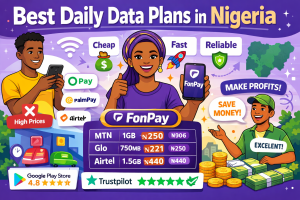
FonPay allows you to buy data for MTN, Glo, Airtel, and 9mobile at affordable rates. By buying cheaper data bundles, you can buy enough data without overspending.
12. Combine All Techniques for Maximum Savings
No single method is enough. The best approach is combining:
With this combination, a 2GB data plan that usually lasts 3 days can now last 10–15 days depending on usage habits.
13. Additional Tips
14. Internal and External References
Learn more about using FonPay to save on data: FonPay Website
Applying these tips step by step ensures your data lasts until the expiration date. Sharing this guide with friends helps everyone save money and enjoy more online connectivity.
Start Your Data Reselling Journey Today
Save on data, earn daily, and grow your digital business with FonPay.
 Join FonPay WhatsApp Channel